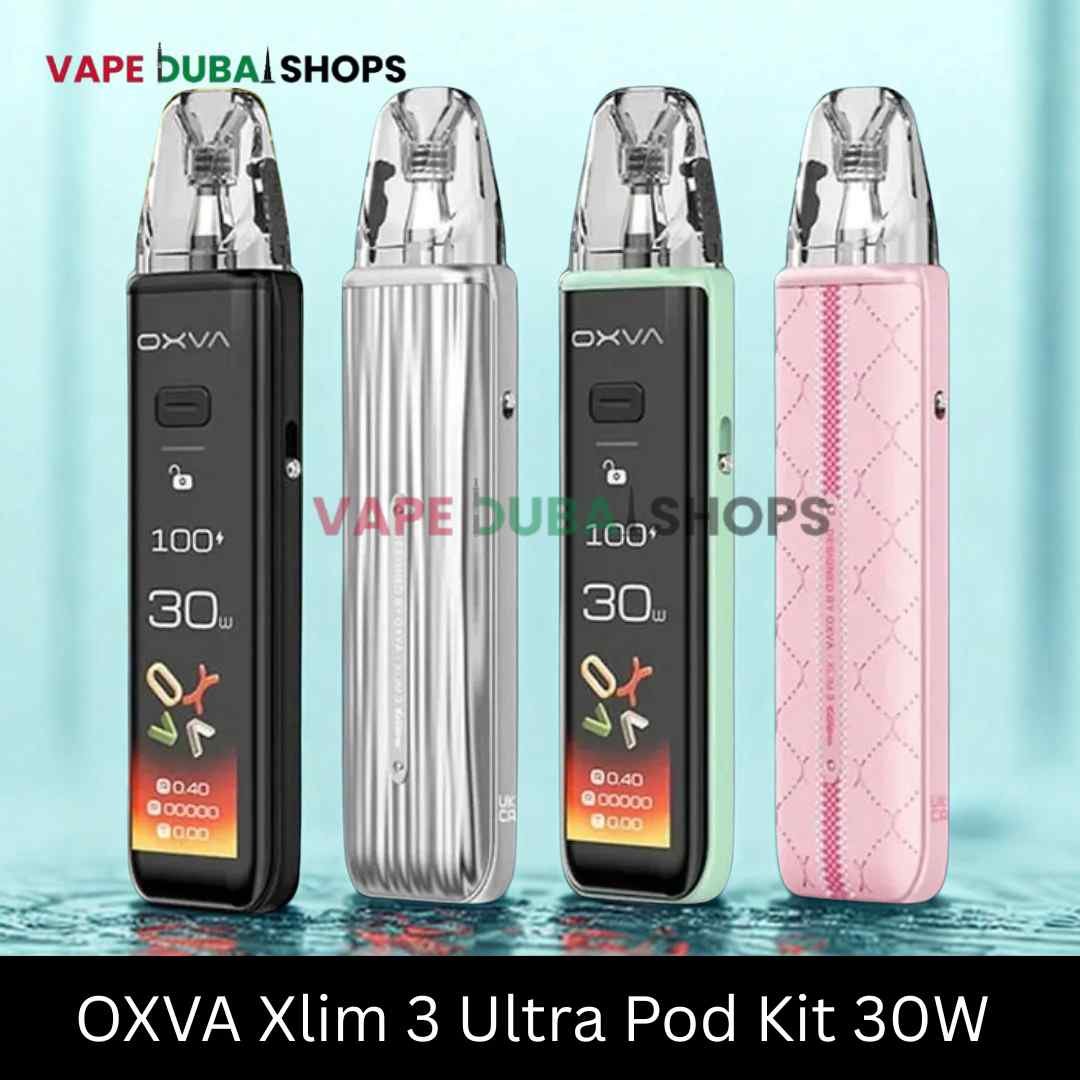

The OXVA Xlim 3 Ultra is the flagship of OXVA’s Xlim line — essentially the Xlim Pro 3 with a bigger 2.2-inch full touchscreen bolted on instead of the Pro 3’s small single-button screen. Same battery, same wattage range, same coil compatibility. The touchscreen is the whole reason to pick this one over the cheaper Pro 3.
For Dubai specifically, the two things worth knowing before you buy: OXVA’s Super Pulse System is designed to keep output stable as the battery drains, which matters more in hot-car or outdoor heat where batteries naturally sag faster; and the touchscreen, while genuinely nice to use, is one more thing that can scratch if you’re not using a case.
Shop OXVA Xlim 3 UltraFull specs
1500mAh battery · 5-30W adjustable output · 2.2″ HD full touchscreen · 3ml top-fill pods (0.6Ω and 0.8Ω included) · 0.3-3.0Ω resistance range · Type-C fast charging (80% in ~30 minutes) · 121.9 x 28.9 x 16.5mm, 90g · compatible with the full Xlim pod range (V1, V2, V3, EZ series).
Battery life in practice
1500mAh is a genuinely large cell for a pod system this size — noticeably more than most compact pod kits (VOOPOO’s Argus Mini line, for comparison, runs 1200-1350mAh). Independent reviews consistently note the touchscreen does pull extra power compared to a simple LED indicator, so if runtime matters more to you than the screen, the cheaper Xlim Pro 3 (identical battery and wattage, smaller screen) will likely last a bit longer per charge.
Who this is for
Buy the Xlim 3 Ultra if you want the biggest, most detailed display in a compact pod kit and don’t mind the small battery trade-off from running it. If you mainly want reliable all-day vaping and don’t care about the touchscreen, the Xlim Pro 3 gives you the identical battery and wattage for less.
What is the difference between the Xlim Pro 3 and Xlim 3 Ultra?
u003cpu003eSame 1500mAh battery and 5-30W output on both. The Ultra adds a larger 2.2u005cu0022 touchscreen versus the Pro 3’s smaller 1.05u005cu0022 single-button screen u005cu2014 that’s the main difference.u003c/pu003e
How long does the Xlim 3 Ultra battery last?
u003cpu003eOXVA states roughly a full day of typical use, with 80% fast-charge in about 30 minutes. Running the touchscreen actively will use more power than a simple LED-indicator device.u003c/pu003e
Is the Xlim 3 Ultra good for Dubai’s climate?
u003cpu003eThe Super Pulse System is designed to hold output steady as the battery drains, which helps in hot conditions where batteries naturally lose some performance. As with any device, avoid leaving it in direct sun or a hot car.u003c/pu003e
What pods does it use?
u003cpu003eIt’s compatible with the full Xlim pod range u005cu2014 V1, V2, V3, and EZ series u005cu2014 giving you a wide choice of resistances from 0.3u005cu03a9 up to 3.0u005cu03a9.u003c/pu003e
Charging and daily care
Type-C fast charging gets the Xlim 3 Ultra to roughly 80% in about 30 minutes, so a quick top-up during the day is realistic rather than needing a full overnight charge every time. As with any pod system, avoid leaving it charging unattended overnight long-term, and wipe the pod’s gold contacts occasionally if you notice inconsistent power — a build-up of e-liquid residue there is a common, easily fixed cause of connection issues.
Pricing-wise, expect the Xlim 3 Ultra to sit a little above the Xlim Pro 3, reflecting the touchscreen upgrade rather than any difference in core performance — useful context if you’re weighing whether the screen is worth the extra cost for your own use case.
In the box
Typical Xlim 3 Ultra packaging includes the device itself, one pre-installed pod (usually 0.6Ω), a spare pod at the other resistance option, a USB-C charging cable, and the standard warranty and instruction documentation. As with any OXVA device, register your warranty soon after purchase if you plan to claim it later — having your original packaging and proof of purchase on hand makes the process faster.